
Scan.Chat.Print.
The private document app that works offline. Scan paper, ask your documents questions, get reminded before bills and expiry dates, edit PDFs and print. Everything stays on your phone.
Try everything free for 7 days
Your documents. Your phone. Nobody else.
NEXO reads, sorts and answers on your phone. Nothing is uploaded to a cloud, and there is no account to create.
Two things that make NEXO different
Ask your documents anything, and let NEXO keep them organised for you.
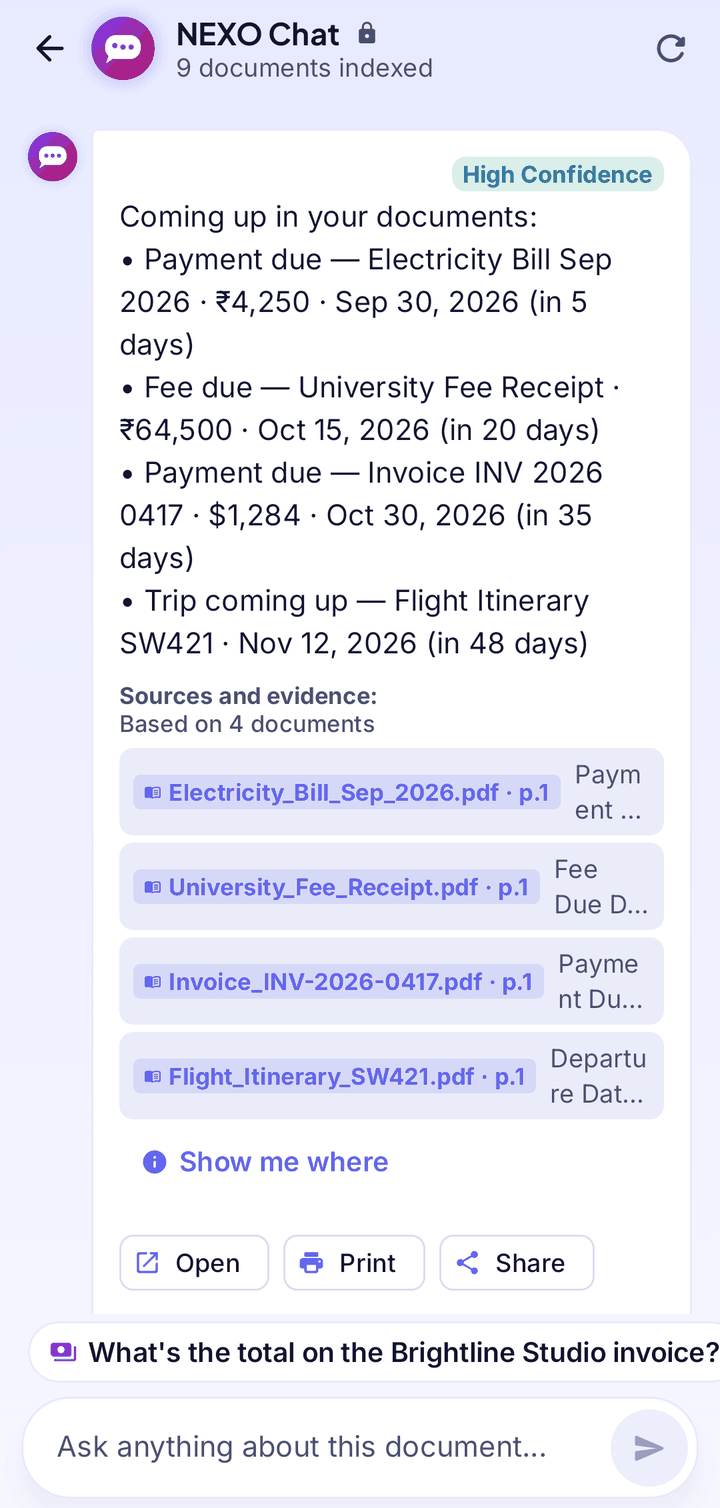
NEXO Chat
Ask about one document or your whole library and get a plain answer with the page it came from. Suggested questions come from your own documents.
- Answers show source and page
- “What’s due soon?” in one tap
- Works in airplane mode
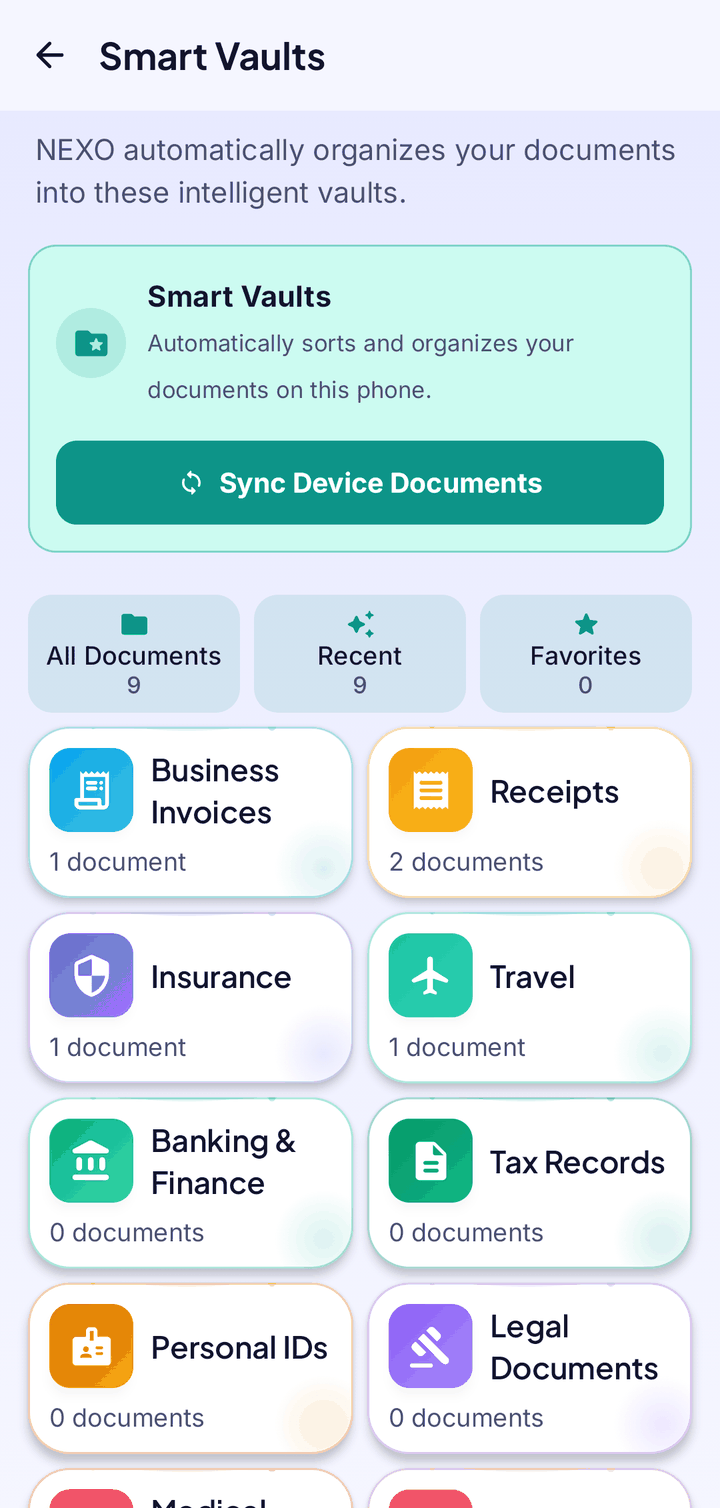
Smart Vaults
Documents sort themselves into vaults such as Invoices, Insurance, Travel, IDs and Tax, using what is written in them.
- 11 vaults, filled automatically
- See what expires soon
- Nothing is copied, a vault is a view
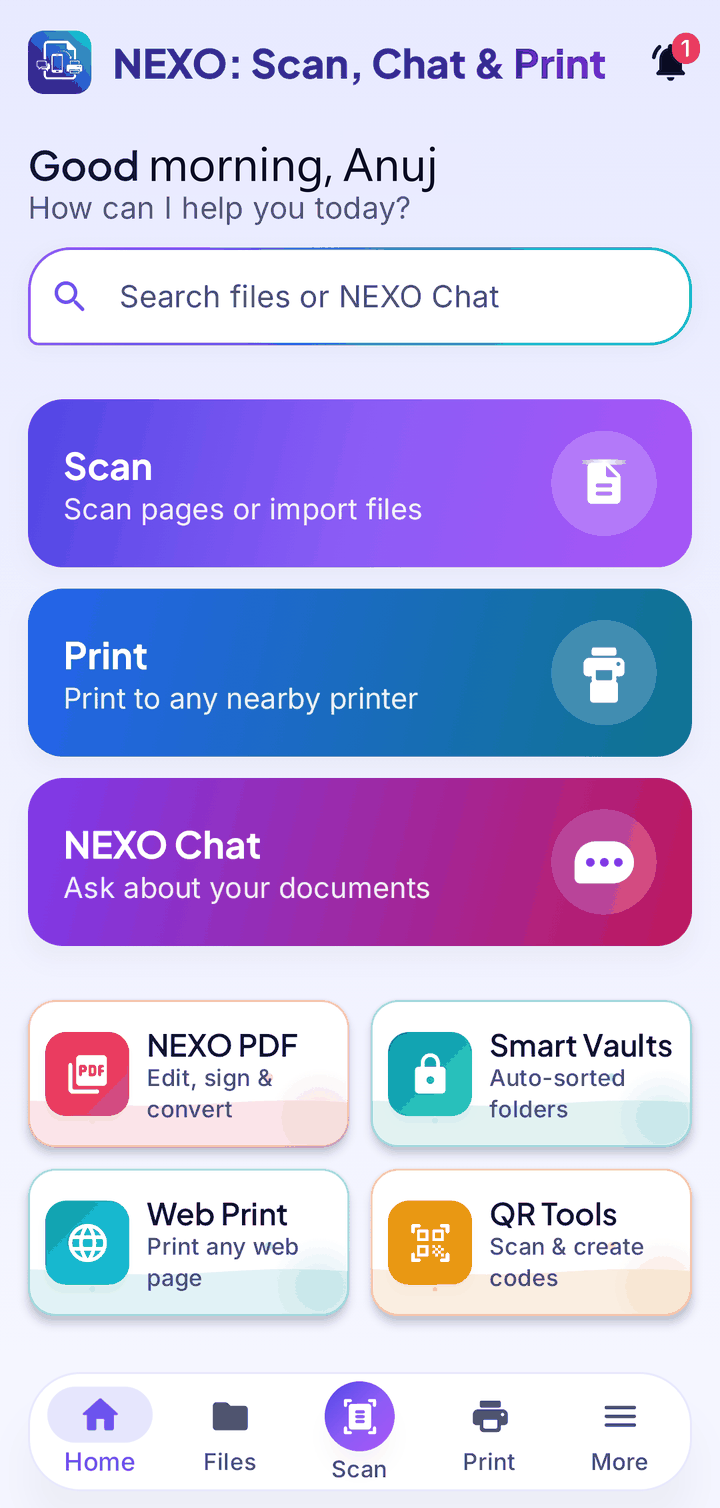
Everything your documents need
One app to scan, organise, understand, edit and print, without sending a single page to the cloud.
Scanner
Automatic edges and clean-up, four modes (Document, ID Card, Receipt, Book) and manual crop. Get crisp, searchable PDFs in seconds.
Learn moreReminders
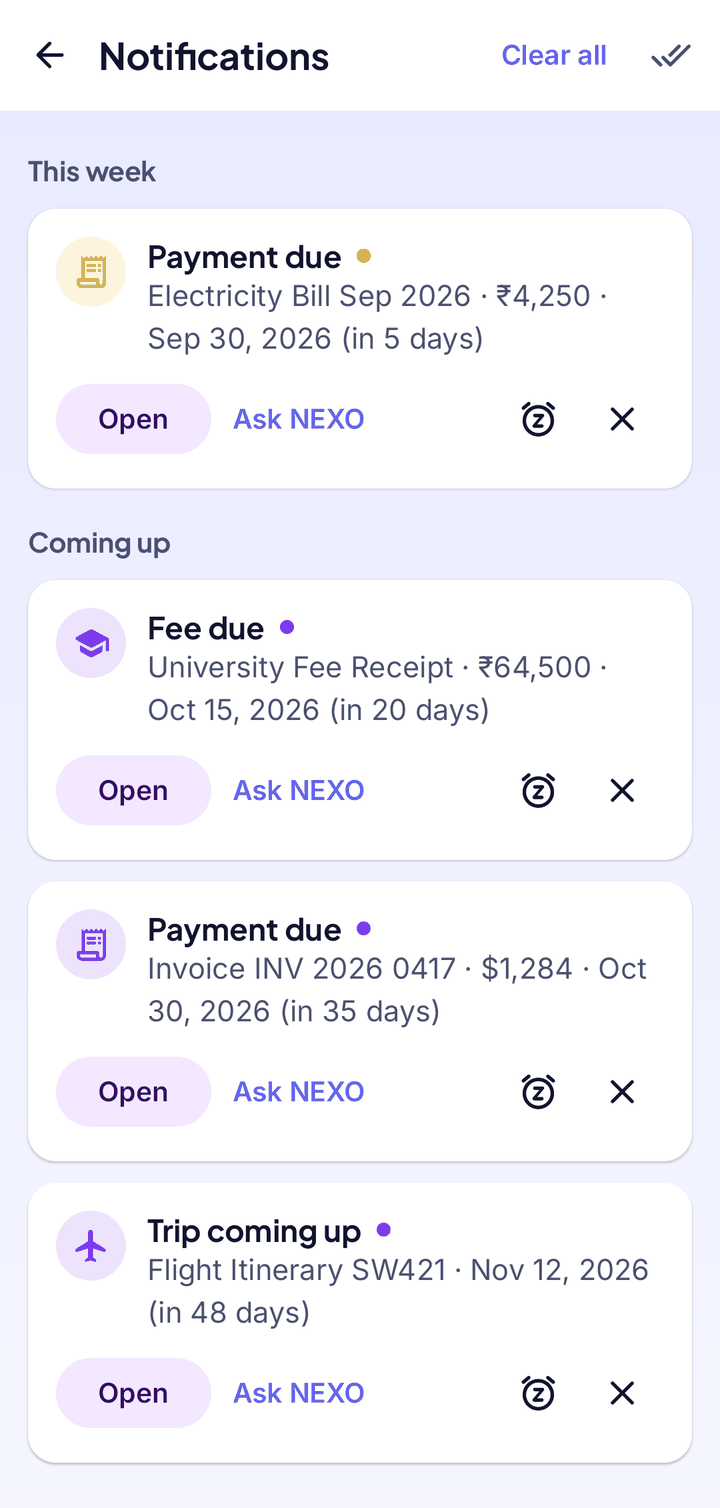
NEXO finds bills, fees, premiums and expiry dates in your documents and reminds you before they are due.
Learn morePDF Tools
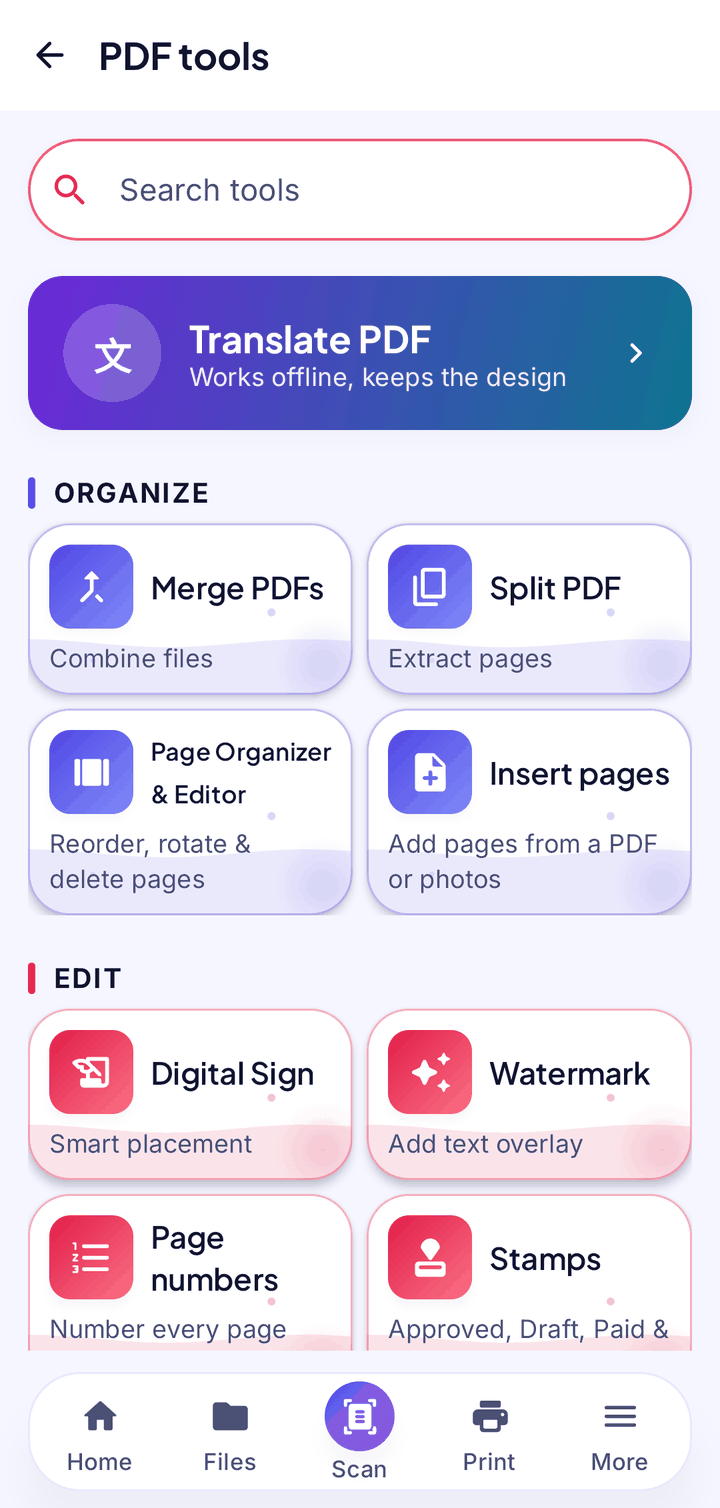
Merge, split, reorder, sign, fill forms, redact and compress. Translate a PDF into 50+ languages.
Learn morePrint & Share
Print over Wi-Fi, USB or Bluetooth, share, or save as PDF. Print web pages with Web Print.
Learn moreQR Tools & Web Print
Scan and create QR codes and barcodes, and print any web page.
Learn morePrivacy Dashboard
See what NEXO can access, your storage use and live permission checks in one place.
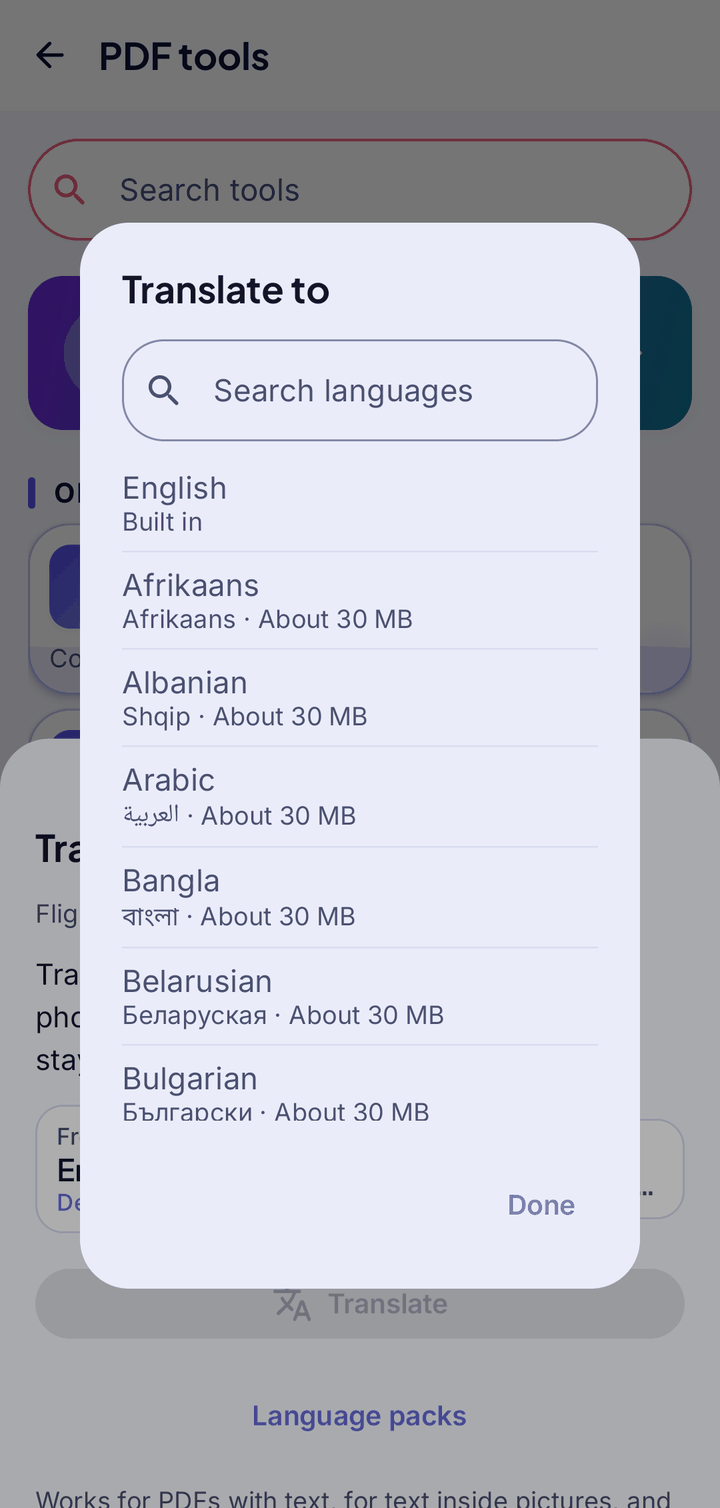
Learn moreTranslate a PDF into 50+ languages
Pick a language and NEXO makes a translated copy that keeps the design, including text inside pictures and scanned pages. Language packs download once, then translation works offline.
Learn moreAnd much more
Small features that make everyday paperwork easier. Tap one to read more.
How it works
From paper to answers in four simple steps.
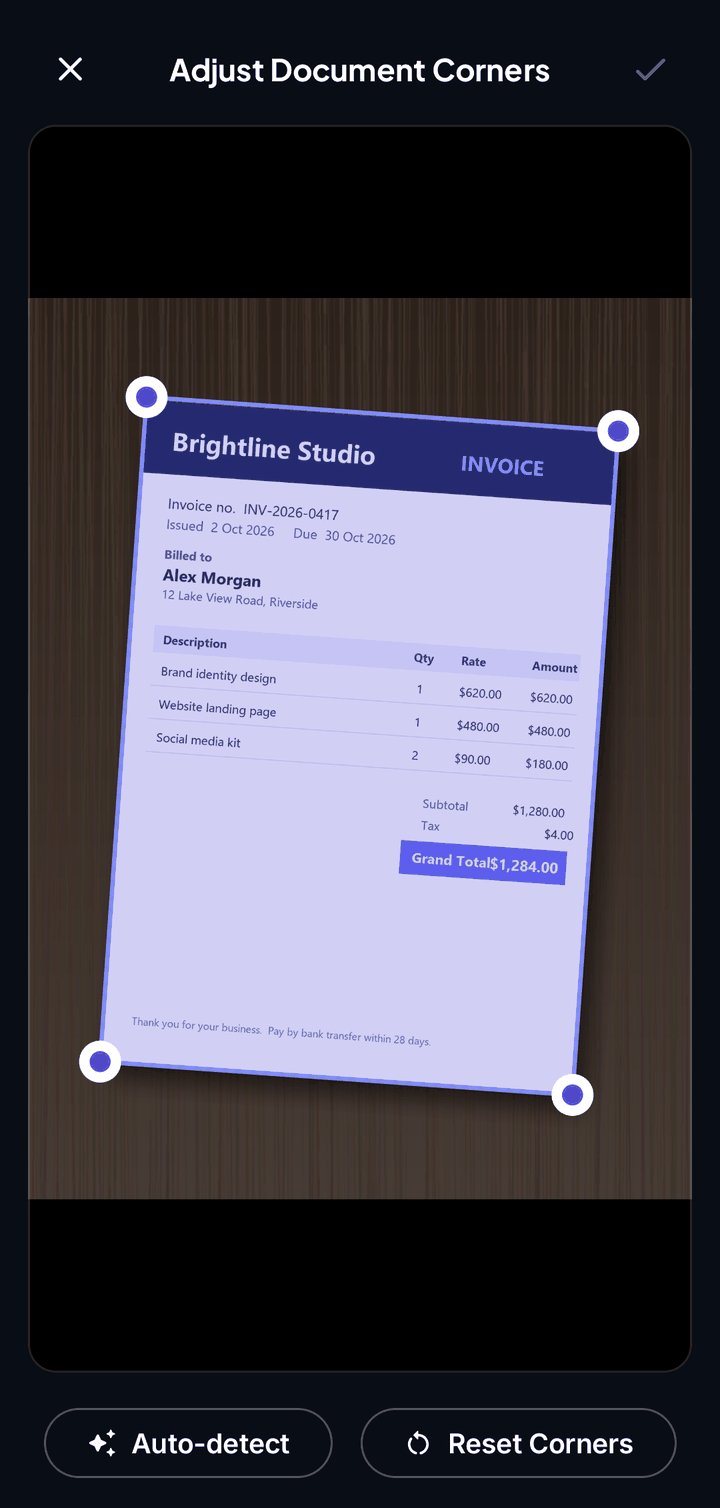
Scan
Point your camera. Edges are found and straightened automatically.
Organise
Smart Vaults file every document where it belongs.
Ask
Chat with your documents and get answers with page references.
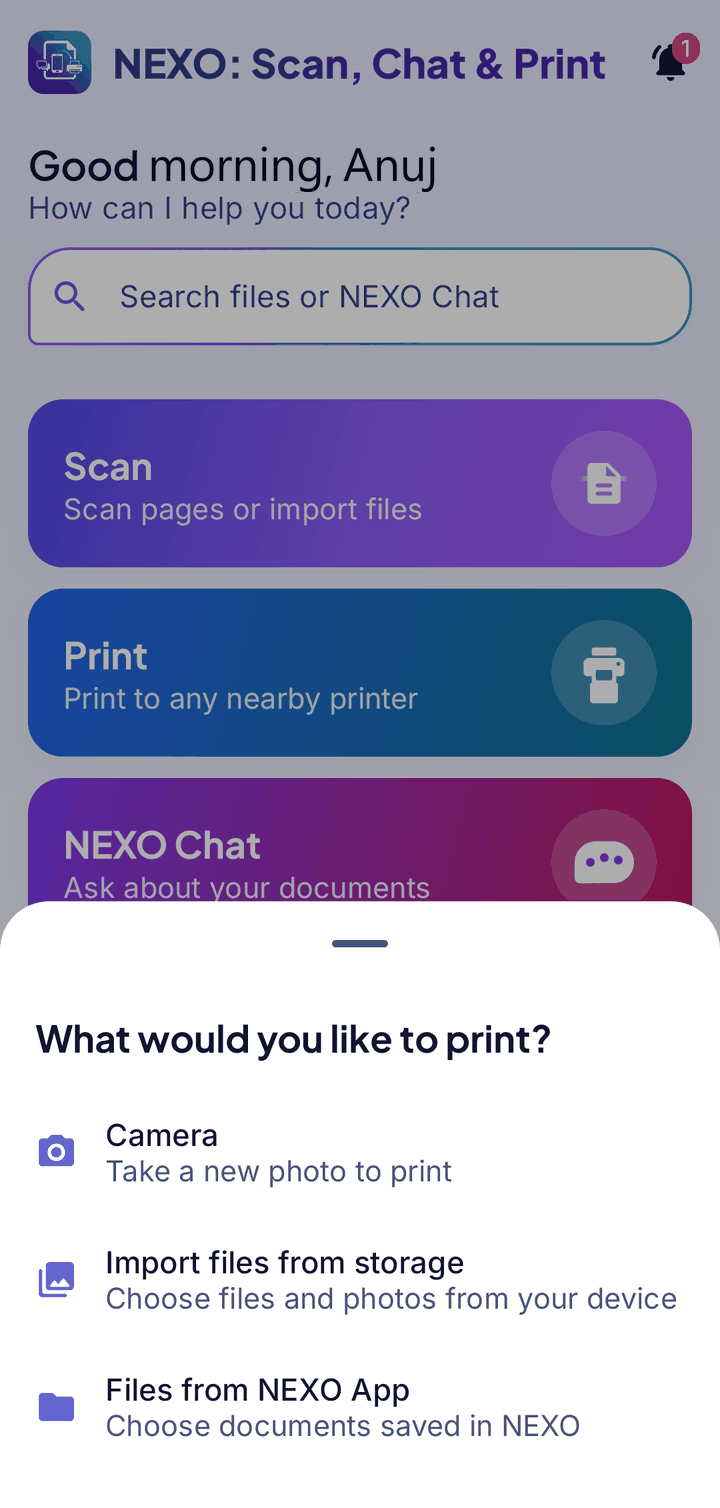
Share or print
Send a PDF, save it, or print it, all from the same screen.
See it in action
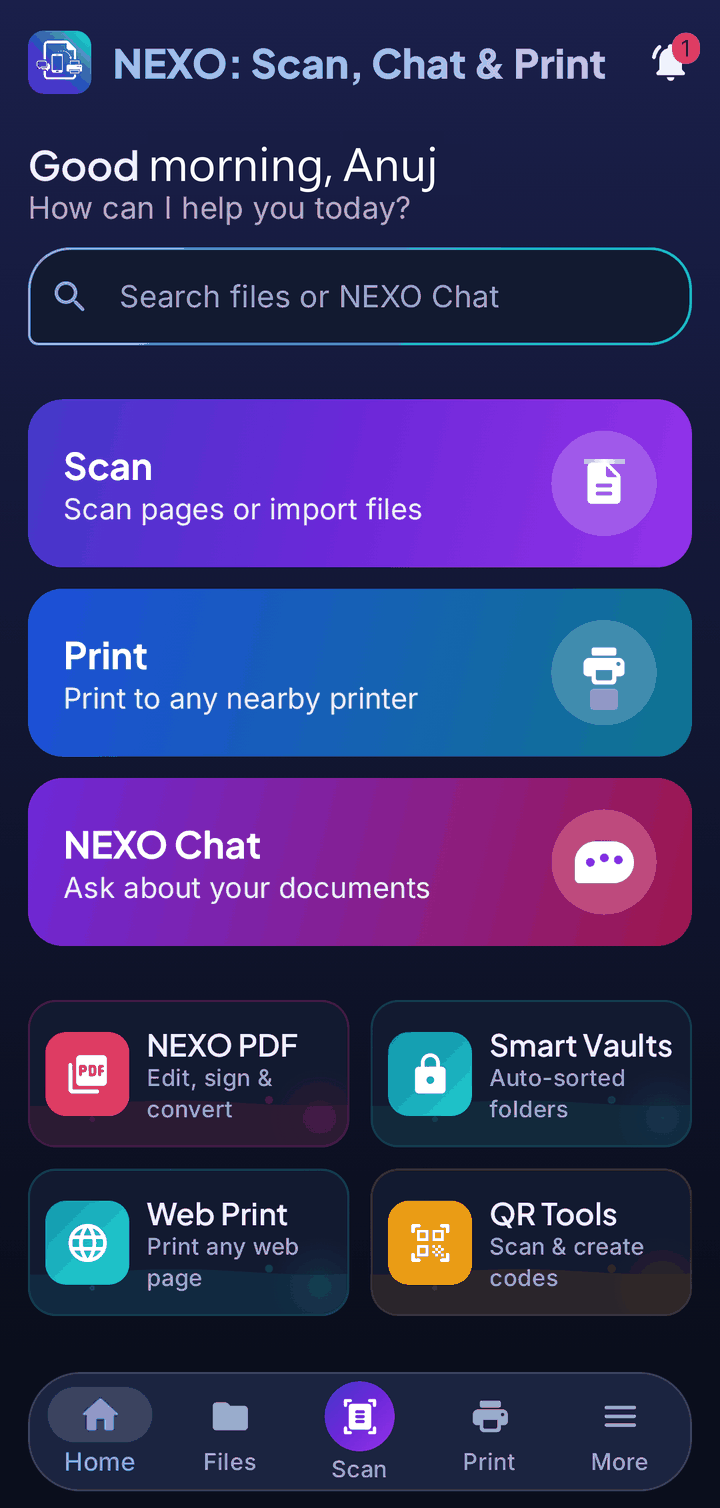
A calm, modern interface that gets out of your way.
Built for your privacy
Most scanner apps upload your pages to somebody else’s server. NEXO doesn’t. It was designed so your documents simply never leave your phone.
What NEXO never does
- Ask you to create an account
- Upload your documents to a cloud
- Send your scans, text or chats to our servers
- Sell your data
NEXO vs. typical scanner apps
| Typical apps | NEXO | |
|---|---|---|
| Account | Sign-up required | No account, ever |
| Your documents | Uploaded to a cloud | Stay on your phone |
| Chat & search | Needs internet | Works in airplane mode |
Beautiful in Dark and Light
NEXO comes in both a Dark and a Light theme. Choose one, or let it follow your phone.
Speaks your language
NEXO is available in 15 languages, including right-to-left Arabic. This website too. Tap a language to try.
Frequently asked questions
Does NEXO need the internet?
No. Scanning, search, PDF tools, Smart Vaults, reminders and NEXO Chat all work offline. The internet is only used for ads, downloading language packs and Web Print.
Can you see my documents?
No. We don’t run servers that receive your documents, scans, extracted text or chats. They stay on your phone.
How much does NEXO cost?
You can try NEXO free for 7 days. After that, see the Pricing page for the plans and what each one includes.
Which languages are supported?
English, Hindi, Arabic, German, Spanish, French, Italian, Japanese, Korean, Portuguese, Russian, Thai, Turkish, Vietnamese and Chinese. Translate PDF works with 50+ languages.
Why does the app ask for permissions?
Only when a feature needs them: camera to scan, files to open and save documents, notifications for reminders, and nearby devices for Bluetooth printers. You can revoke them any time.
When can I get it?
NEXO is coming soon to Google Play and the App Store. Check back here for the launch.
Your documents. Your phone. Nobody else.
NEXO: Scan, Chat & Print is coming soon to Google Play and the App Store.