
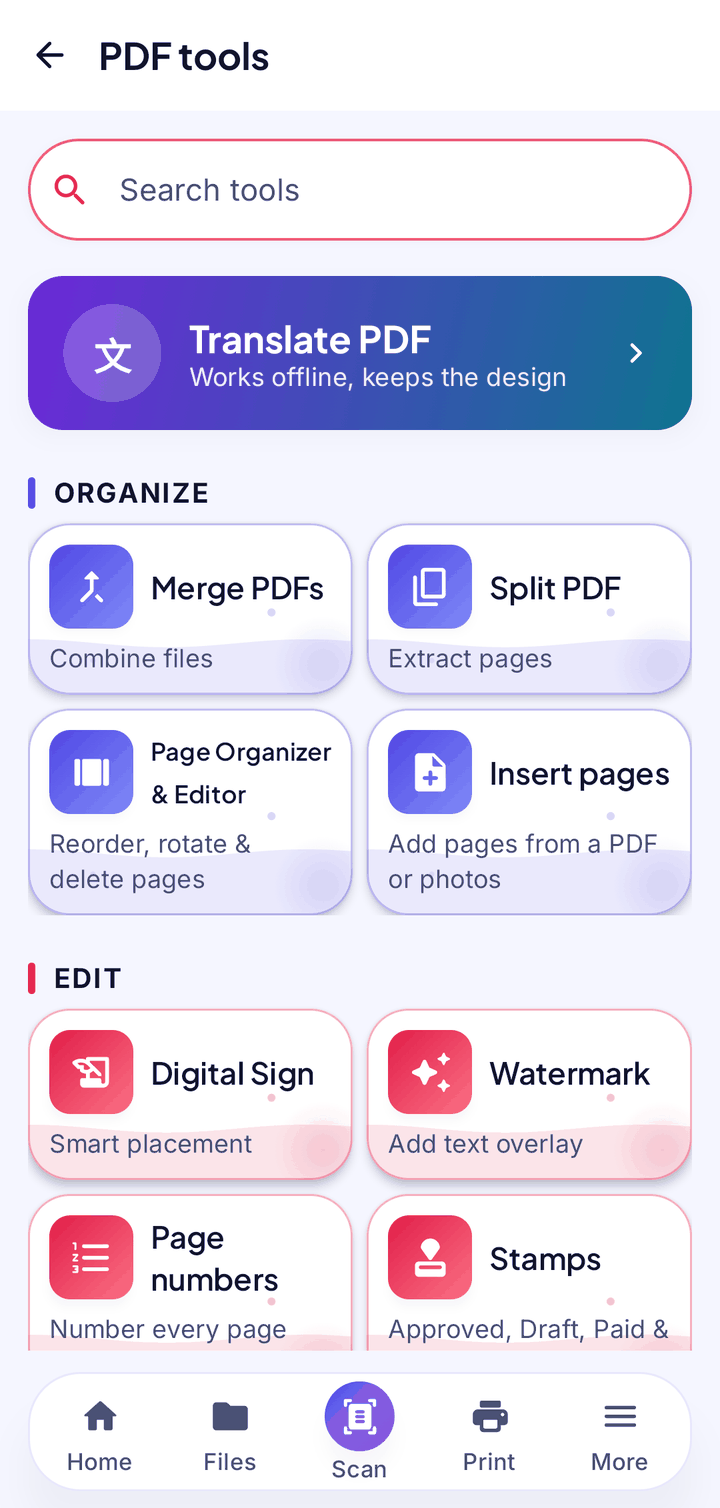
Translate a PDF into 50+ languages
Choose a language and NEXO makes a translated copy that keeps the design of the page. It works on text pages and on scanned pages, and it translates the words inside pictures too.
- Keeps the layout, colours and pictures
- Reads scanned pages on your phone (Latin, Devanagari, Chinese, Japanese and Korean scripts)
- Translates text inside pictures and leaves small logos untouched
- Language packs download once on demand, then it works offline
- Your original PDF stays unchanged; you get a new translated copy
Everything else in NEXO PDF
A search bar at the top helps you find a tool fast.
Merge & split
Combine files into one PDF, or split a large PDF into smaller ones.
Page editor
Reorder, rotate, delete and insert pages.
Page numbers & watermark
Number your pages and add a text watermark.
Sign & stamp
Add your signature and stamps.
Fill forms
Fill in PDF forms right on your phone.
Lock & unlock
Add a password to a PDF, or unlock one and save a copy without it.
Redact
Permanently removes the areas you mark. The text underneath is gone, not just covered.
Compress
Make a smaller copy for email. Your original stays.
Image to PDF & back
Turn photos into a PDF, or a PDF into images.
Searchable PDF
Turn a scanned PDF into a searchable one, with the same look.
Document info
See a PDF’s details and properties.
Good to know
- Translated text is drawn onto the page, so it is not selectable.
- Scanned pages in Arabic script can’t be read yet; NEXO says so and Translate stays off for them.
- A short line without tall letters can come out slightly smaller on scans; check the result.
- Some non-Latin scripts cannot be saved into form fields yet.
- Translate needs a language pack for each language, downloaded once when you first pick it.
Your documents. Your phone. Nobody else.
NEXO: Scan, Chat & Print is coming soon to Google Play and the App Store.