
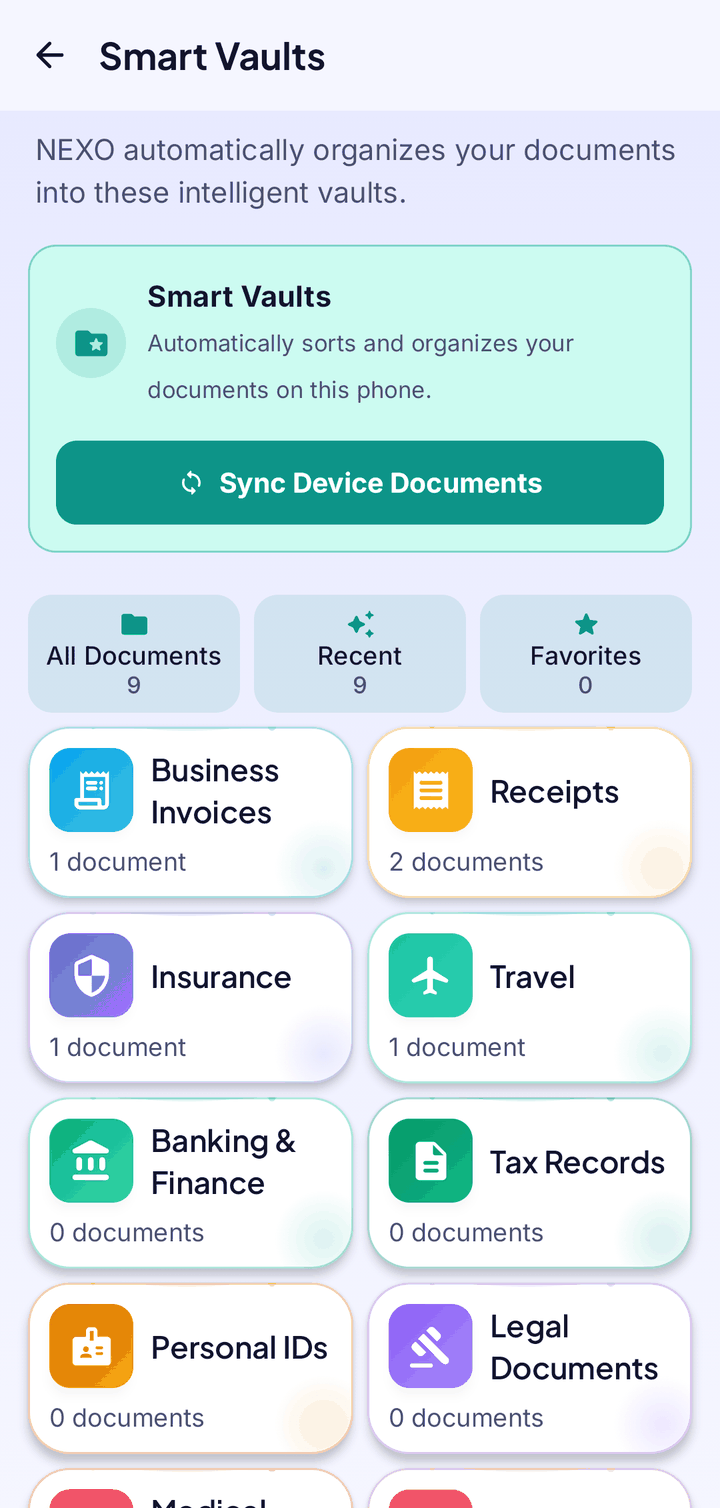
A vault is a view, not a copy
Nothing is duplicated. A vault simply shows your existing files grouped by type, so your library stays tidy and your storage doesn’t grow.
- Sort and filter inside a vault
- Star favourites
- See what expires soon: a banner counts documents close to their expiry date
- Recent, All and Favourites shortcuts with live counts
Insurance
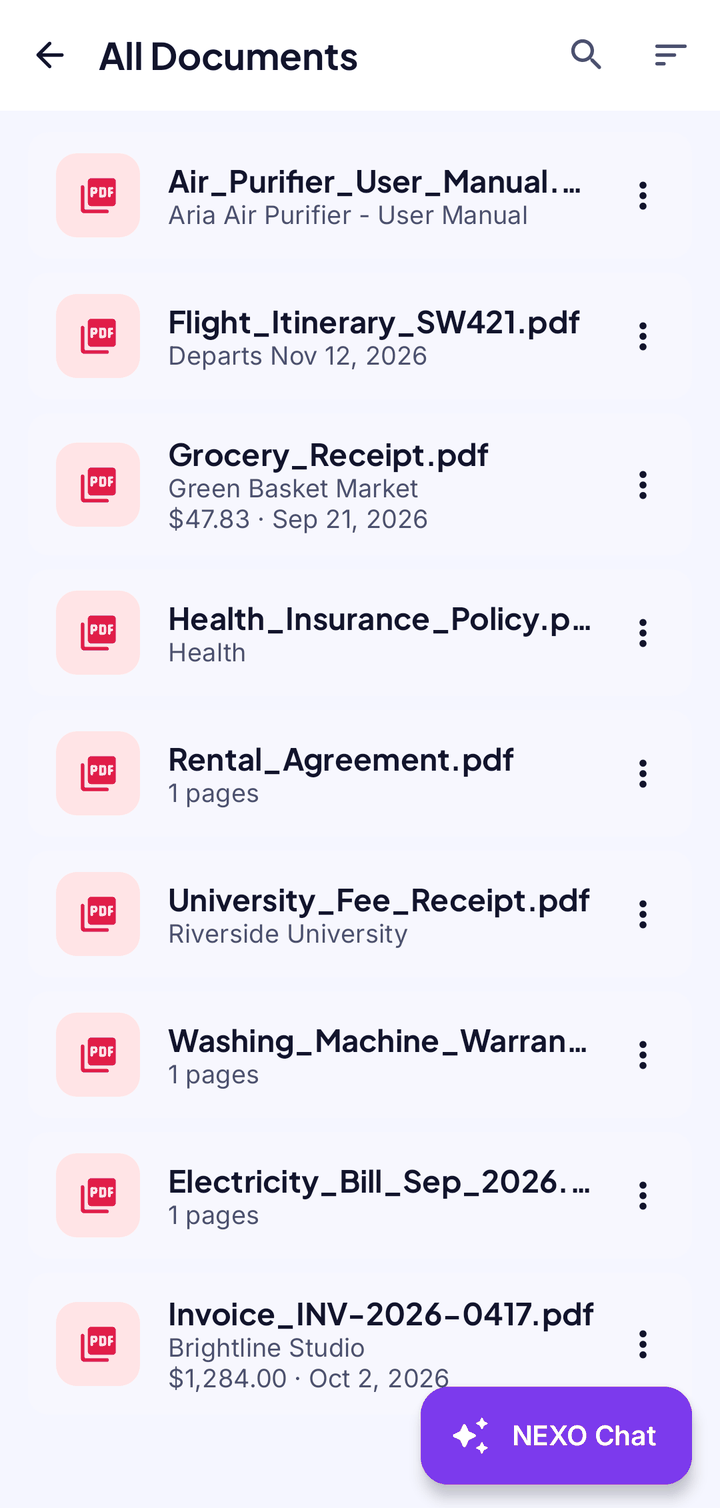
In the wrong vault? Fix it once.
Open the vault, tap ⋮ on the document and choose Change category. NEXO remembers your choice and won’t move it again.
- Works from your scans and from documents you connect
- Every vault card has a NEXO Chat shortcut
Vaults
Good to know
- Sorting uses the text in the document, so a blurry scan may land in Uncategorized until you scan it again more clearly.
- Vaults use the text NEXO can read on your phone; nothing is sent anywhere to sort it.
Your documents. Your phone. Nobody else.
NEXO: Scan, Chat & Print is coming soon to Google Play and the App Store.
Coming soon onGoogle PlayComing soon onApp Store